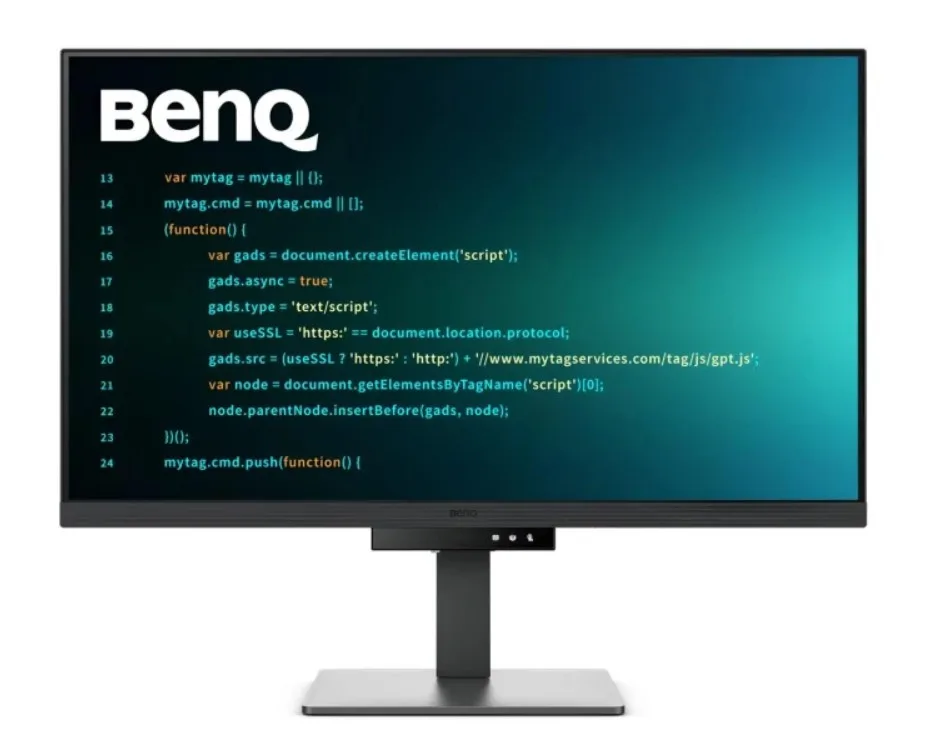
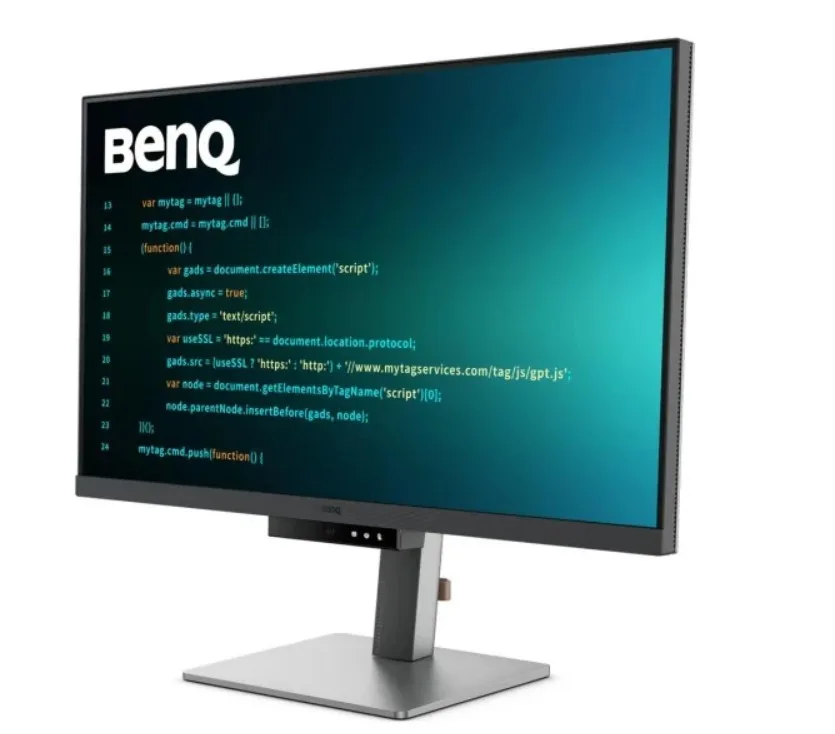
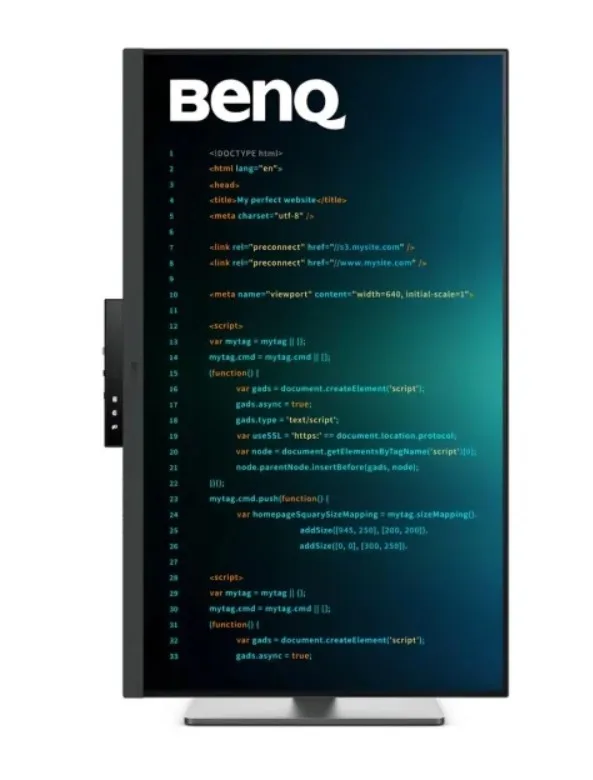
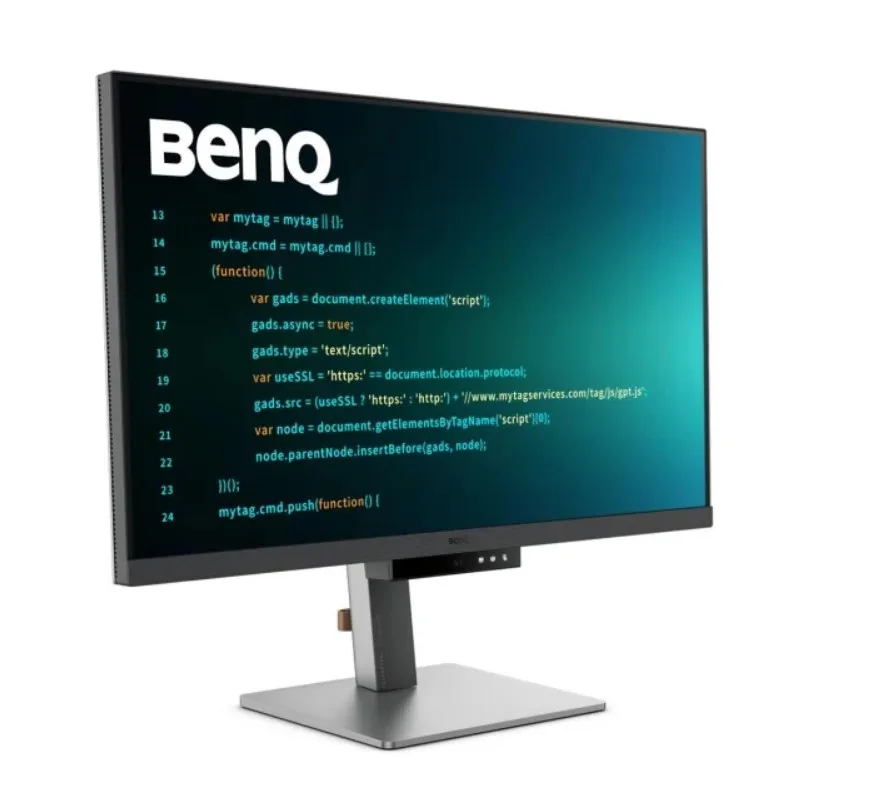
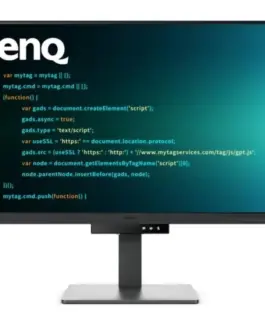
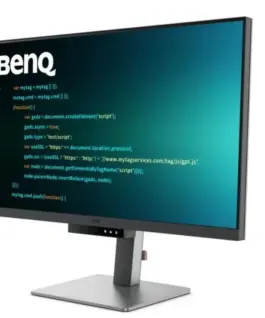
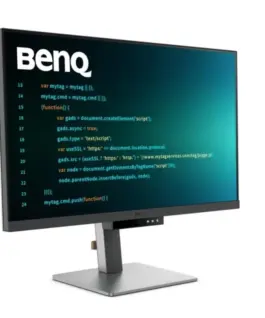
Benq Monitor 31.5 inches RD320U 4K LED 5ms/60Hz/IPS
Benq Monitor 31.5 inches RD320U 4K LED 5ms/60Hz/IPS
Description:
Catch Your Coding Flow in Seconds
Get into the coding flow within seconds with BenQ Nano Matte Panel. Featuring low reflectivity to minimize distractions, this advanced technology enhances focus and productivity while delivering exceptional clarity for peak performance.
2000:1 Contrast Ratio for Sharper Coding and Stunning Visuals
Experience exceptional clarity with a 2000:1 contrast ratio. Enjoy deeper blacks and higher contrast on a premium 4K display while coding, watching movies, or gaming, ensuring outstanding visual performance. This enhancement not only improves image quality but also creates a more immersive and engaging viewing experience.
Ignite Your Late-Night Coding Inspiration
Whether you prefer working in soft ambient lighting or complete darkness during late-night coding sessions, we have everything you need for long-lasting eye comfort.
Effortless Comfort with Night Hours Protection
Reduce eye strain with minimum brightness technology and enjoy enhanced eye protection during nighttime use and in dark environments with Night Hours Protection. Intelligent ambient light detection and automatic switching require minimal user intervention, providing effortless and continuous eye care.
Stay Focused Anytime with MoonHalo
Experience BenQ MoonHalo, the integrated rear monitor lighting system. With adjustable color temperature, brightness, and lighting modes, along with Auto Dimming powered by B.I. Gen2, MoonHalo provides optimal eye comfort and focus at any time of day, whether you’re working from home or in the office.
Exclusive Coding Modes for Enhanced Productivity
BenQ’s advanced Coding Modes deliver sharper fonts and improved code differentiation, reducing eye strain. Choose between dark and light themes, and easily adjust brightness, sharpness, and contrast for the ideal coding environment.
Start Coding Instantly with the Coding HotKey and Function Bar
Boost your productivity effortlessly with the exclusive Coding HotKey and Function Bar. Simply press the dedicated Coding HotKey located at the center of the Function Bar to jump straight into coding mode.
Optimal Posture, Maximum Efficiency
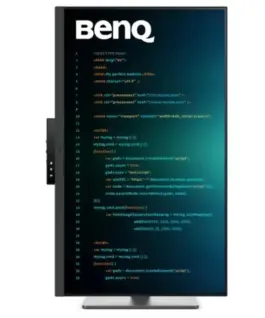
Relieve neck and body strain. BenQ Programming Monitors are designed to maximize your comfort during long coding sessions and extended projects.
Fast Plug-and-Play Connectivity
BenQ Programming Monitors offer a wide range of connectivity options, including USB Type-C, providing comprehensive connectivity to support all your multitasking needs.
Seamless Integration with the KVM Switch
Maximize efficiency with integrated connectivity across multiple devices and a built-in KVM (Keyboard, Video, Mouse) switch for smooth source switching.
Daisy Chain Connectivity with 90W USB Type-C
Multi-Stream Transport (MST) technology enables you to extend your workspace across multiple displays using USB Type-C. The 90W USB Type-C connection transfers images, videos, and data while simultaneously charging your mobile devices with a single cable. Please note that Mac and MacBook devices support daisy chaining only through Thunderbolt. Daisy chain functionality is not supported via HDMI or standard USB ports on any device. Macs with M1 or M2 chips support only one external display. For more information about connecting different Mac models to external displays, please visit Apple’s website.
Seamless Multi-Device Viewing with PIP/PBP and DualView Plus
DualView Plus simplifies multi-device viewing by allowing different color modes for individual applications or windows. With PIP and PBP support, you can easily manage dual-source or single-source viewing.
Optimize Productivity with PIP and PBP
PIP (Picture-in-Picture) and PBP (Picture-by-Picture) maximize screen space efficiently. PIP overlays an additional window for multitasking, while PBP splits the screen to display content from multiple sources, boosting productivity.
DualView Plus Displays Independent Color Modes
DualView Plus with PIP/PBP not only displays dual sources simultaneously but also allows different color modes for each screen.
Control Display Settings with Your Mouse and Keyboard Using Display Pilot 2
Display Pilot 2 lets you easily manage features such as MoonHalo, Night Hours Protection, and Auto Pivot. Designed specifically for BenQ Programming Monitors, it also includes developer-focused features such as FloW, HotKeys, Desktop Partition, Application Mode, Software Dimming, and Circadian Mode.
FloW – Personalized Display Performance Throughout Your Day
We understand the importance of a well-organized workflow. By learning your habits, FloW on the BenQ RD320U seamlessly adapts to your needs, automatically switching between different scenarios based on your predefined schedules to support your busy day.
Easily Customize the Built-In MoonHalo Light
Using Display Pilot 2, MoonHalo seamlessly synchronizes with your monitor, allowing you to easily adjust the on/off switch, brightness, color temperature, lighting mode, and continuous lighting mode.
Circadian Mode for All-Day Comfort and a Relaxing Atmosphere
BenQ Low Blue Light Plus features Circadian Mode, which automatically adjusts the display’s color temperature throughout the day to reflect the natural sunrise-to-sunset cycle. Enjoy comfortable viewing all day long.
Assign Different Modes to Different Applications
Application Mode makes it easy to assign different color modes to specific applications and automatically remembers your preferred settings for future use.
Customizable Desktop Partitions for Your Workspace
Launch Desktop Partition and simply drag your applications into predefined sections or create your own custom layouts.
Double Your Coding Speed with HotKeys
Display Pilot 2 now includes an additional copy-and-paste function set to improve coding efficiency. In addition, BenQ-exclusive HotKeys provide quick access to predefined keyboard shortcuts for specific functions.
Keep Your Eyes Free from Fatigue
Experience outstanding visual comfort with Brightness Intelligence Gen2. BenQ Eye-Care Technology is dedicated to enhancing your visual comfort throughout the day.
Keep Your Eyes Free from Fatigue
Experience outstanding visual comfort with Brightness Intelligence Gen2. BenQ Eye-Care Technology is dedicated to enhancing your visual comfort throughout the day.
TÜV Reflection Free Certification for Refreshed Eyes
The TÜV Reflection Free Certification minimizes visual distractions, enabling a clearer and more efficient coding experience. TÜV Rheinland, a globally recognized safety authority, has also certified the RD320U’s Low Blue Light technology as eye-friendly. Eyesafe 2.0 certification ensures reduced blue light while maintaining vivid and accurate colors.
BenQ’s Eco Commitment: A Vision for Sustainability
BenQ prioritizes environmentally responsible practices throughout product development, reinforcing our commitment to sustainability.
85% PCR
The monitor housing is made from 85% post-consumer recycled (PCR) materials, supporting environmentally responsible manufacturing practices.
Recycled Cardboard Packaging
Our monitors are packaged using recycled cardboard materials, minimizing environmental impact and promoting sustainable packaging.
Auto Power Off
The Auto Power Off function automatically turns off the display after 10, 20, or 30 minutes of inactivity, helping save energy and support sustainability.
EcoPrivacy
Save energy and protect your screen privacy effortlessly with a feature that automatically dims the monitor during periods of inactivity.
743.36 € с ДДС / 1,453.89 лв.
Времето за доставка е 10 - 12 дни
Налично за предварителни продажби
Benq Monitor 31.5 inches RD320U 4K LED 5ms/60Hz/IPS
Описание:
Catch Your Coding Flow in Seconds
Get into the coding flow within seconds with BenQ Nano Matte Panel. Featuring low reflectivity to minimize distractions, this advanced technology enhances focus and productivity while delivering exceptional clarity for peak performance.
2000:1 Contrast Ratio for Sharper Coding and Stunning Visuals
Experience exceptional clarity with a 2000:1 contrast ratio. Enjoy deeper blacks and higher contrast on a premium 4K display while coding, watching movies, or gaming, ensuring outstanding visual performance. This enhancement not only improves image quality but also creates a more immersive and engaging viewing experience.
Ignite Your Late-Night Coding Inspiration
Whether you prefer working in soft ambient lighting or complete darkness during late-night coding sessions, we have everything you need for long-lasting eye comfort.
Effortless Comfort with Night Hours Protection
Reduce eye strain with minimum brightness technology and enjoy enhanced eye protection during nighttime use and in dark environments with Night Hours Protection. Intelligent ambient light detection and automatic switching require minimal user intervention, providing effortless and continuous eye care.
Stay Focused Anytime with MoonHalo
Experience BenQ MoonHalo, the integrated rear monitor lighting system. With adjustable Цвят temperature, brightness, and lighting modes, along with Auto Dimming powered by B.I. Gen2, MoonHalo provides optimal eye comfort and focus at any time of day, whether you’re working from home or in the office.
Exclusive Coding Modes for Enhanced Productivity
BenQ’s advanced Coding Modes deliver sharper fonts and improved code differentiation, reducing eye strain. Choose between dark and light themes, and easily adjust brightness, sharpness, and contrast for the ideal coding environment.
Start Coding Instantly with the Coding HotKey and Function Bar
Boost your productivity effortlessly with the exclusive Coding HotKey and Function Bar. Simply press the dedicated Coding HotKey located at the center of the Function Bar to jump straight into coding mode.
Optimal Posture, Maximum Efficiency
Relieve neck and body strain. BenQ Programming Monitors are designed to maximize your comfort during long coding sessions and extended projects.
Fast Plug-and-Play Connectivity
BenQ Programming Monitors offer a wide range of connectivity options, including USB Тип-C, providing comprehensive connectivity to support all your multitasking needs.
Seamless Integration with the KVM Switch
Maximize efficiency with integrated connectivity across multiple devices and a built-in KVM (Keyboard, Video, Mouse) switch for smooth source switching.
Daisy Chain Connectivity with 90W USB Тип-C
Multi-Stream Transport (MST) technology enables you to extend your workspace across multiple displays using USB Тип-C. The 90W USB Тип-C connection transfers images, videos, and data while simultaneously charging your mobile devices with a single cable. Please note that Mac and MacBook devices support daisy chaining only through Thunderbolt. Daisy chain functionality is not supported via HDMI or standard USB ports on any device. Macs with M1 or M2 chips support only one external display. For more information about connecting different Mac models to external displays, please visit Apple’s website.
Seamless Multi-Device Viewing with PIP/PBP and DualView Plus
DualView Plus simplifies multi-device viewing by allowing different Цвят modes for individual applications or windows. With PIP and PBP support, you can easily manage dual-source or single-source viewing.
Optimize Productivity with PIP and PBP
PIP (Picture-in-Picture) and PBP (Picture-by-Picture) maximize screen space efficiently. PIP overlays an additional window for multitasking, while PBP splits the screen to display content from multiple sources, boosting productivity.
DualView Plus Displays Independent Цвят Modes
DualView Plus with PIP/PBP not only displays dual sources simultaneously but also allows different Цвят modes for each screen.
Control Display Settings with Your Mouse and Keyboard Using Display Pilot 2
Display Pilot 2 lets you easily manage features such as MoonHalo, Night Hours Protection, and Auto Pivot. Designed specifically for BenQ Programming Monitors, it also includes developer-focused features such as FloW, HotKeys, Desktop Partition, Application Mode, Software Dimming, and Circadian Mode.
FloW – Personalized Display Performance Throughout Your Day
We understand the importance of a well-organized workflow. By learning your habits, FloW on the BenQ RD320U seamlessly adapts to your needs, automatically switching between different scenarios based on your predefined schedules to support your busy day.
Easily Customize the Built-In MoonHalo Light
Using Display Pilot 2, MoonHalo seamlessly synchronizes with your monitor, allowing you to easily adjust the on/off switch, brightness, Цвят temperature, lighting mode, and continuous lighting mode.
Circadian Mode for All-Day Comfort and a Relaxing Atmosphere
BenQ Low Blue Light Plus features Circadian Mode, which automatically adjusts the display’s Цвят temperature throughout the day to reflect the natural sunrise-to-sunset cycle. Enjoy comfortable viewing all day long.
Assign Different Modes to Different Applications
Application Mode makes it easy to assign different Цвят modes to specific applications and automatically remembers your preferred settings for future use.
Customizable Desktop Partitions for Your Workspace
Launch Desktop Partition and simply drag your applications into predefined sections or create your own custom layouts.
Double Your Coding Speed with HotKeys
Display Pilot 2 now includes an additional copy-and-paste function set to improve coding efficiency. In addition, BenQ-exclusive HotKeys provide quick access to predefined keyboard shortcuts for specific functions.
Keep Your Eyes Free from Fatigue
Experience outstanding visual comfort with Brightness Intelligence Gen2. BenQ Eye-Care Technology is dedicated to enhancing your visual comfort throughout the day.
Keep Your Eyes Free from Fatigue
Experience outstanding visual comfort with Brightness Intelligence Gen2. BenQ Eye-Care Technology is dedicated to enhancing your visual comfort throughout the day.
TÜV Reflection Free Certification for Refreshed Eyes
The TÜV Reflection Free Certification minimizes visual distractions, enabling a clearer and more efficient coding experience. TÜV Rheinland, a globally recognized safety authority, has also certified the RD320U’s Low Blue Light technology as eye-friendly. Eyesafe 2.0 certification ensures reduced blue light while maintaining vivid and accurate Цвятs.
BenQ’s Eco Commitment: A Vision for Sustainability
BenQ prioritizes environmentally responsible practices throughout product development, reinforcing our commitment to sustainability.
85% PCR
The monitor housing is made from 85% post-consumer recycled (PCR) materials, supporting environmentally responsible manufacturing practices.
Recycled Cardboard Packaging
Our monitors are packaged using recycled cardboard materials, minimizing environmental impact and promoting sustainable packaging.
Auto Power Off
The Auto Power Off function automatically turns off the display after 10, 20, or 30 minutes of inactivity, helping save energy and support sustainability.
EcoPrivacy
Save energy and protect your screen privacy effortlessly with a feature that automatically dims the monitor during periods of inactivity.
EAN: 4718755094392
Свързани продукти