-
×
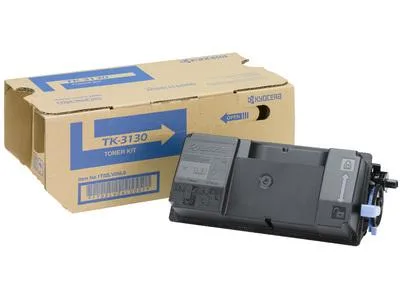 Тонер касета KYOCERA TK-3130, FS-4200DN/ FS-4300D/ ECOSYS M3550idn/ ECOSYS M3560idn, Черен
248.40 лв. (вкл. ДДС) / €127.00
Тонер касета KYOCERA TK-3130, FS-4200DN/ FS-4300D/ ECOSYS M3550idn/ ECOSYS M3560idn, Черен
248.40 лв. (вкл. ДДС) / €127.00 -
×
 Монитор ASUS ZenScreen MB16ACЕ 15.6" FHD (1920x1080)
419.00 лв. (вкл. ДДС) / €214.23
Монитор ASUS ZenScreen MB16ACЕ 15.6" FHD (1920x1080)
419.00 лв. (вкл. ДДС) / €214.23 -
×
 Мастилница UPRINT CLI526 CANON, С чип, Magenta
6.00 лв. (вкл. ДДС) / €3.07
Мастилница UPRINT CLI526 CANON, С чип, Magenta
6.00 лв. (вкл. ДДС) / €3.07 -
×
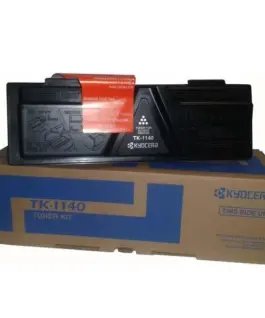 Тонер касета KYOCERA TK-1140, FS-1035MFP/DP/ FS-1135MFP/ ECOSYS M2535dn/ ECOSYS M2035dn, Черен
175.20 лв. (вкл. ДДС) / €89.58
Тонер касета KYOCERA TK-1140, FS-1035MFP/DP/ FS-1135MFP/ ECOSYS M2535dn/ ECOSYS M2035dn, Черен
175.20 лв. (вкл. ДДС) / €89.58 -
×
 Чанта за лаптоп LENOVO 15.6inch Notebook Casual Toploader T210 Grey Retail (P) GX40Q17231
29.99 лв. (вкл. ДДС) / €15.33
Чанта за лаптоп LENOVO 15.6inch Notebook Casual Toploader T210 Grey Retail (P) GX40Q17231
29.99 лв. (вкл. ДДС) / €15.33 -
×
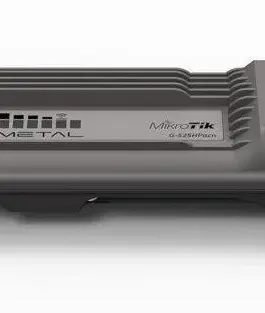 Безжичен Access Point MikroTik Metal 52 ac RBMetalG-52SHPacn, 64MB RAM, 2.4/5GHz
221.42 лв. (вкл. ДДС) / €113.21
Безжичен Access Point MikroTik Metal 52 ac RBMetalG-52SHPacn, 64MB RAM, 2.4/5GHz
221.42 лв. (вкл. ДДС) / €113.21 -
×
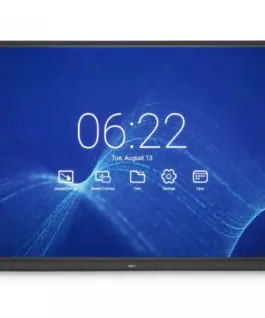 NEC Monitor 75 MultiSync CB751Q IPS 350cd/m2 3840x2160 1200:1
8,971.40 лв. (вкл. ДДС) / €4,587.01
NEC Monitor 75 MultiSync CB751Q IPS 350cd/m2 3840x2160 1200:1
8,971.40 лв. (вкл. ДДС) / €4,587.01 -
×
 Apple iPhone 15 256GB - жълт
1,769.81 лв. (вкл. ДДС) / €904.89
Apple iPhone 15 256GB - жълт
1,769.81 лв. (вкл. ДДС) / €904.89 -
×
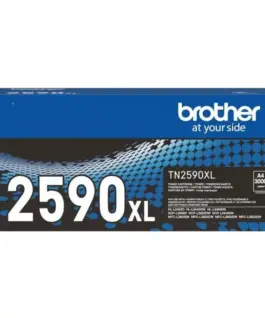 Тонер касета BROTHER TN2590XL, HL-L2402/L2442/L2460/ L2600/ L2640 /MFC- L2802/ L2862/ L2922, 3000k.
69.60 лв. (вкл. ДДС) / €35.59
Тонер касета BROTHER TN2590XL, HL-L2402/L2442/L2460/ L2600/ L2640 /MFC- L2802/ L2862/ L2922, 3000k.
69.60 лв. (вкл. ДДС) / €35.59 -
×
 Мрежова карта Ricoh DDST Unit Type M16, MP 2014D, MP 2014AD
165.61 лв. (вкл. ДДС) / €84.68
Мрежова карта Ricoh DDST Unit Type M16, MP 2014D, MP 2014AD
165.61 лв. (вкл. ДДС) / €84.68 -
×
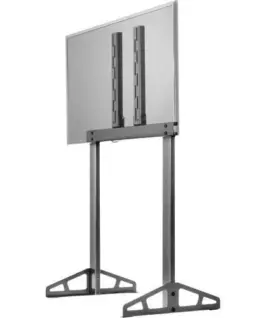 TV стойка за всички Playseat симулатори, Playseat TV Stand - PRO
360.25 лв. (вкл. ДДС) / €184.19
TV стойка за всички Playseat симулатори, Playseat TV Stand - PRO
360.25 лв. (вкл. ДДС) / €184.19 -
×
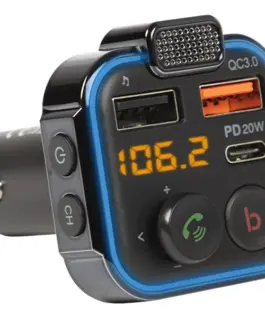 BLOW BLOW Transmiter FM Bluetooth 5.1+Qc3.0
24.31 лв. (вкл. ДДС) / €12.43
BLOW BLOW Transmiter FM Bluetooth 5.1+Qc3.0
24.31 лв. (вкл. ДДС) / €12.43 -
×
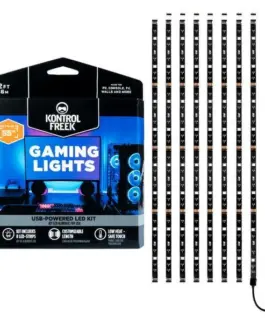 RGB лента KontrolFreek Gaming Lights Kit, USB (3.6m)
39.00 лв. (вкл. ДДС) / €19.94
RGB лента KontrolFreek Gaming Lights Kit, USB (3.6m)
39.00 лв. (вкл. ДДС) / €19.94 -
×
 Блутут мобилна колонка HAMA Shine 2.0, 30W, LED, Защита от вода, Бял, 188229
115.58 лв. (вкл. ДДС) / €59.10
Блутут мобилна колонка HAMA Shine 2.0, 30W, LED, Защита от вода, Бял, 188229
115.58 лв. (вкл. ДДС) / €59.10 -
×
Закалено стъкло armorMi за Samsung Galaxy S10 Lite
14.90 лв. (вкл. ДДС) / €7.62
-
×
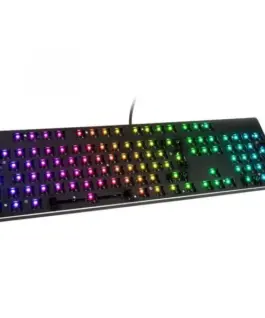 Геймърска механична клавиатура основа Glorious RGB GMMK ISO Layout
147.49 лв. (вкл. ДДС) / €75.41
Геймърска механична клавиатура основа Glorious RGB GMMK ISO Layout
147.49 лв. (вкл. ДДС) / €75.41 -
×
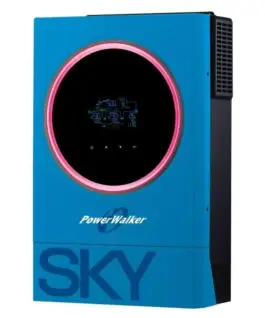 Соларен инвертор POWERWALKER 3600 SKY OGN 3600 VA/ 3600 W
1,640.05 лв. (вкл. ДДС) / €838.55
Соларен инвертор POWERWALKER 3600 SKY OGN 3600 VA/ 3600 W
1,640.05 лв. (вкл. ДДС) / €838.55 -
×
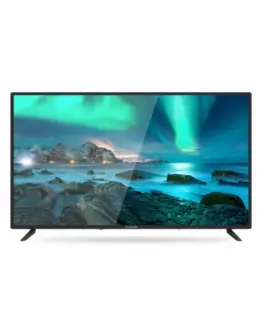 Allview TV LED 40 inch 40ATC6000-F
323.89 лв. (вкл. ДДС) / €165.60
Allview TV LED 40 inch 40ATC6000-F
323.89 лв. (вкл. ДДС) / €165.60 -
×
 Алкална батерия GP 12 V 1бр. blister за аларми А23
2.22 лв. (вкл. ДДС) / €1.14
Алкална батерия GP 12 V 1бр. blister за аларми А23
2.22 лв. (вкл. ДДС) / €1.14 -
×
 UPS POWERWALKER VFI 1500 CG PF1 1500VA, On-Line
855.77 лв. (вкл. ДДС) / €437.55
UPS POWERWALKER VFI 1500 CG PF1 1500VA, On-Line
855.77 лв. (вкл. ДДС) / €437.55 -
×
 Мастилница UPRINT LC980/1100 BROTHER, Черен
6.00 лв. (вкл. ДДС) / €3.07
Мастилница UPRINT LC980/1100 BROTHER, Черен
6.00 лв. (вкл. ДДС) / €3.07 -
×
 Модулна докинг станция j5create JCD387, 2 модула, USB-C
129.91 лв. (вкл. ДДС) / €66.42
Модулна докинг станция j5create JCD387, 2 модула, USB-C
129.91 лв. (вкл. ДДС) / €66.42 -
×
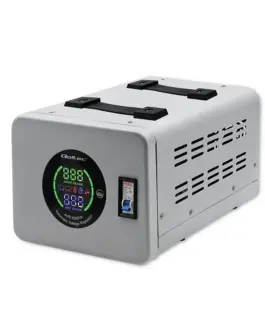 Qoltec Voltagestabilizer AVR 3000VA
219.64 лв. (вкл. ДДС) / €112.30
Qoltec Voltagestabilizer AVR 3000VA
219.64 лв. (вкл. ДДС) / €112.30 -
×
 Алкална батерия GP А11 6V за дистанционни /5бр./pack цена за 1 бр./
3.00 лв. (вкл. ДДС) / €1.53
Алкална батерия GP А11 6V за дистанционни /5бр./pack цена за 1 бр./
3.00 лв. (вкл. ДДС) / €1.53 -
×
 Кабел ACT AK3634, DVI-D мъжко - DVI-D мъжко, 10 м, Бял, Булк
63.66 лв. (вкл. ДДС) / €32.55
Кабел ACT AK3634, DVI-D мъжко - DVI-D мъжко, 10 м, Бял, Булк
63.66 лв. (вкл. ДДС) / €32.55 -
×
 LEGO Lego Star Wars 75328 The Mandalorian Helmet
123.79 лв. (вкл. ДДС) / €63.29
LEGO Lego Star Wars 75328 The Mandalorian Helmet
123.79 лв. (вкл. ДДС) / €63.29 -
×
 USB памет KINGSTON DataTraveler Exodia M, 128GB, USB 3.2 Gen 1, Черна
22.85 лв. (вкл. ДДС) / €11.68
USB памет KINGSTON DataTraveler Exodia M, 128GB, USB 3.2 Gen 1, Черна
22.85 лв. (вкл. ДДС) / €11.68 -
×
 Cenega Game Nintendo Switch Tomb Raider I-III Remasteчервен Starring Lara Croft
85.16 лв. (вкл. ДДС) / €43.54
Cenega Game Nintendo Switch Tomb Raider I-III Remasteчервен Starring Lara Croft
85.16 лв. (вкл. ДДС) / €43.54
с поръчка
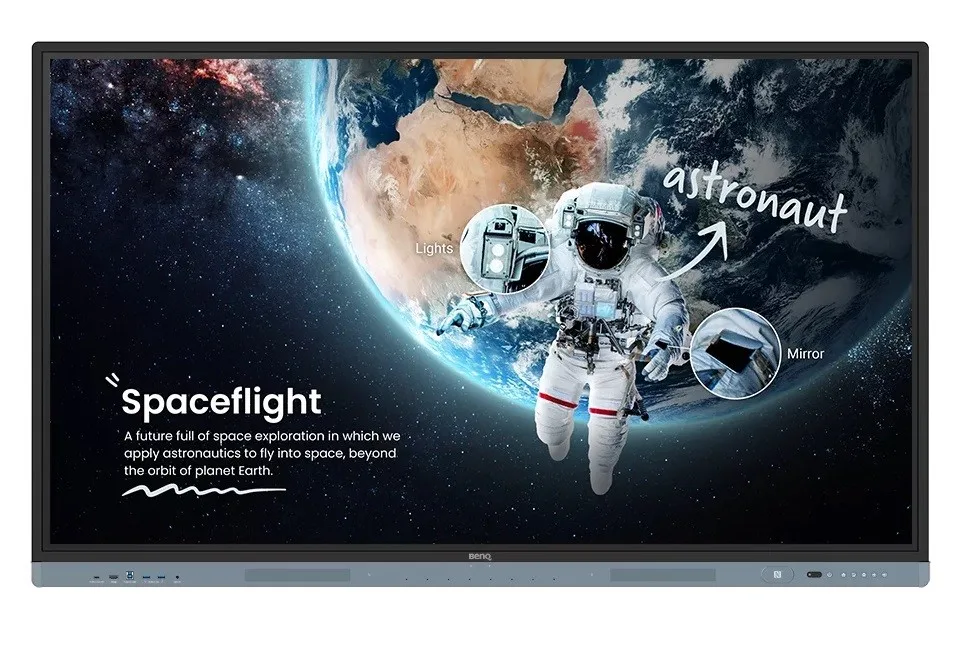
Benq Monitor 65 inches RM6504 LED 1200:1/3840×2160/4K/8ms
Benq Monitor 65 inches RM6504 LED 1200:1/3840×2160/4K/8ms
Description:
RM6504 – 65-Inch Interactive Monitor for Schools and Universities with Google EDLA Certification
Educational Tools and Applications Available on BenQ Board
- Certified Google Services Integrated with the Monitor and Whiteboard Application
- Advanced Eye Protection with Eyesafe 2.0 Certification
- 40 Touch Points Allow Multiple Students to Work Simultaneously
- Handwriting Recognition and Translation of Dozens of Languages in the Whiteboard Application
Discover New Possibilities
Unleash your educational potential with the best tools for modern classrooms.
Google-Supported Lessons
Harness the power of BenQ and Google for Education services with the BenQ Board Master RM04, certified by EDLA.
Easy Access to Applications
Enhance your lessons with interactive educational apps from Google Play.
Google Services
The RM04 is equipped with essential Google services such as Google Drive and Meet.
Collaboration Tools
Fully utilize Google Docs, Sheets, and Slides on a large touch screen.
Convenient File Access
Open files from Google Drive to teach using pre-prepared materials and save them back to the cloud to always have access to the latest files.
Enhanced Security
Google security features in the RM04 prevent data leaks, phishing, malware, and data loss.
Google Search
Quickly search for information and access lesson materials without the need to open a browser.
Widgets
Add widgets such as sticky notes and a calendar to display information important to you and your students.
Voice Assistant
Let your voice lead the lessons using Google Assistant via the RM04 remote.
Artificial Intelligence Tools for More Creative Lessons
- Text-to-Speech: Listen to text displayed or saved on the screen.
- Multilingual Translation: Translate text into multiple languages for more contextual lessons.
- OCR: Easily edit text from photos and scanned pages.
ClassroomCare – Protect Student Health
BenQ RM04 series monitors are equipped with ClassroomCare features that help schools make every classroom a healthier place to learn.
Only the Best for Your Eyes
The RM04 has Eyesafe Certified 2.0, offering the highest available level of eye protection. It reduces eye strain by effectively minimizing high-energy blue light without altering the vibrant colors displayed on the screen.
Protect Against Germs
The RM04 helps limit the spread of germs in the classroom with a TÜV-certified antibacterial screen and buttons that are effective against common germs at a 99.9% level.
Extended Protection
Sharing tools in classrooms can lead to the spread of germs. Therefore, the RM04 remote and pens are also germ-resistant.
Dust Protection IP5X
Even in dusty classrooms, the RM04 ensures consistent performance. Its panel complies with the IEC 60529 standard.
Save Energy with BenQ
BenQ monitors offer energy-saving features that allow monitoring and limiting energy consumption, saving costs, and improving sustainability without compromising performance.
A Whiteboard Without Limits
Enhance your lessons using EZWrite, a powerful whiteboard equipped with tools for activities that you can use for more engaging in-person or hybrid classes.
More Than Just a Whiteboard
EZWrite 6 allows you to do much more than just write, draw, and add text. Utilize the expandable canvas, split the screen for contests, insert templates, use mathematical tools, or display live camera images.
Import and Export Files
Open PowerPoint, Word, Excel, and PDF files to teach and take notes during classes. When youre done, save the lesson as an editable whiteboard file to continue where you left off, or as a PDF file for students to review at home.
Expand Your Classroom
With cloud whiteboard, students can join sessions from their locations or even from home. Remote students can use the whiteboard as if they were directly on the display.
Widgets
Add widgets such as sticky notes, a calendar, and more to display information relevant to you and your students.
Smarter Learning Environment
Everything you need to enhance your teaching methods is already available in the RM04.
Maximize Teaching Efficiency
Whiteboard While Browsing the Internet on the Same Screen: Activate split-screen mode and open two applications side by side for more dynamic lessons.
Import and Export Files: Open PowerPoint, Word, Excel, and PDF files to teach and take notes during classes. When youre done, save the lesson as an editable whiteboard file to continue where you left off, or as a PDF file for students to review at home.
Log In. Load.
The RM04 offers efficient and secure ways to log in, load personal settings, and access cloud storage. You can tap your NFC card or simply scan the boards QR code with your phone. Available at the end of the fourth quarter.
Tools at Your Fingertips
Pull out a floating tool to add annotations, take screenshots, or even record videos while using apps, browsing files, or scrolling websites on the whiteboard.
Quick Access Every Time
Tap the sidebar to quickly switch input sources, return to the home screen, or access a menu with your most frequently used apps.
Front-Mounted Ports
Numerous front ports include a fully functional USB-C port that provides 65W charging and allows for laptop screen extension and touch control.
Stream and Record Classes with Artificial Intelligence
Connect the BenQ board with the 4K UHD smart camera DV01K to achieve high-quality streaming and video recording. Provide clear and dynamic audiovisual imagery with the cameras built-in artificial intelligence features such as automatic framing, face and voice tracking, and active noise reduction.
Versatile Sound
Two 20W forward-facing speakers deliver room-filling sound during classes. Combined with an 8-microphone array, they ensure that everyone can hear and be heard during conversations or audiovisual lessons.
Smooth and Intuitive Writing
The BenQ RM04 series allows multiple students to interact intuitively with the display simultaneously during group work and other classroom activities.
40 Touch Points: The RM04 supports up to 40 touch points, allowing more people to use the display at the same time.
Natural Writing: The absence of a gap between the glass and the panel makes writing as smooth as writing on paper.
Touch the Difference: The Fine IR+ touch feature provides even more precise writing.
Seamless Idea Sharing
Wirelessly share content on the RM04 from anywhere in the room. Stream lesson materials from your laptop or allow multiple students to share their screens using InstaShare 2.
Present Diverse Content
InstaShare 2 is more than just screen sharing. You can also stream photos, videos, or live camera images to make presentations and discussions more dynamic.
Click and Share
Share photos, videos, and other educational content directly from your Android phone by simply tapping it on the BenQ Boards NFC reader. Available at the end of the fourth quarter.
Keep Organized
Even when multiple students are sharing content, its easy to take control of the InstaShare 2 session. You can choose which screens to display or hide, reject sharing requests, and even block inappropriate content using artificial intelligence.
Easy Management
BenQs device and user management platforms allow IT staff to maintain BenQ boards without additional complexity. We help significantly reduce their wrkload so they can focus on other tasks.
Identity Management Synchronization
Accelerate user list management by synchronizing the BenQ Board user accounts list with existing lists in Google Workspace, Microsoft Entra ID (formerly Azure Active Directory), ClassLink, LDAP, or another SAML-based identity provider.
Device and Application Management
Remotely monitor and manage all BenQ devices. Install, update, and remove applications from a single dashboard, which also allows for firmware updates and setting power on and off times.
Safer Whiteboards
The RM04 protects your schools data with secure login options, strict access control, regular system updates, and app scanning through Google Play Protect.
Comprehensive Analytics
Learn how BenQ boards are used and which apps are most popular. Select specific devices and data points to generate more detailed reports.
6,196.07 лв. с ДДС / €3,168.00
Време на доставка: 30 дни
Времето за доставка не е определено
Времето за доставка не е определено
Налично за предварителни продажби
Benq Monitor 65 inches RM6504 LED 1200:1/3840×2160/4K/8ms
Описание:
RM6504 – 65-Inch Interactive Monitor for Schools and Universities with Google EDLA Certification
Educational Tools and Applications Available on BenQ Board
- Certified Google Services Integrated with the Monitor and Whiteboard Application
- Advanced Eye Protection with Eyesafe 2.0 Certification
- 40 Touch Points Allow Multiple Students to Work Simultaneously
- Handwriting Recognition and Translation of Dozens of Languages in the Whiteboard Application
Discover New Possibilities
Unleash your educational potential with the best tools for modern classrooms.
Google-Supported Lessons
Harness the power of BenQ and Google for Education services with the BenQ Board Master RM04, certified by EDLA.
Easy Access to Applications
Enhance your lessons with interactive educational apps from Google Play.
Google Services
The RM04 is equipped with essential Google services such as Google Drive and Meet.
Collaboration Tools
Fully utilize Google Docs, Sheets, and Slides on a large touch screen.
Convenient File Access
Open files from Google Drive to teach using pre-prepared materials and save them back to the cloud to always have access to the latest files.
Enhanced Security
Google security features in the RM04 prevent data leaks, phishing, malware, and data loss.
Google Search
Quickly search for information and access lesson materials without the need to open a browser.
Widgets
Add widgets such as sticky notes and a calendar to display information important to you and your students.
Voice Assistant
Let your voice lead the lessons using Google Assistant via the RM04 remote.
Artificial Intelligence Tools for More Creative Lessons
- Text-to-Speech: Listen to text displayed or saved on the screen.
- Multilingual Translation: Translate text into multiple languages for more contextual lessons.
- OCR: Easily edit text from photos and scanned pages.
ClassroomCare – Protect Student Health
BenQ RM04 series monitors are equipped with ClassroomCare features that help schools make every classroom a healthier place to learn.
Only the Best for Your Eyes
The RM04 has Eyesafe Certified 2.0, offering the highest available level of eye protection. It reduces eye strain by effectively minimizing high-energy blue light without altering the vibrant Цвятs displayed on the screen.
Protect Against Germs
The RM04 helps limit the spread of germs in the classroom with a TÜV-certified antibacterial screen and buttons that are effective against common germs at a 99.9% level.
Extended Protection
Sharing tools in classrooms can lead to the spread of germs. Therefore, the RM04 remote and pens are also germ-resistant.
Dust Protection IP5X
Even in dusty classrooms, the RM04 ensures consistent performance. Its panel complies with the IEC 60529 standard.
Save Energy with BenQ
BenQ monitors offer energy-saving features that allow monitoring and limiting energy consumption, saving costs, and improving sustainability without compromising performance.
A Whiteboard Without Limits
Enhance your lessons using EZWrite, a powerful whiteboard equipped with tools for activities that you can use for more engaging in-person or hybrid classes.
More Than Just a Whiteboard
EZWrite 6 allows you to do much more than just write, draw, and add text. Utilize the expandable canvas, split the screen for contests, insert templates, use mathematical tools, or display live camera images.
Import and Export Files
Open PowerPoint, Word, Excel, and PDF files to teach and take notes during classes. When youre done, save the lesson as an editable whiteboard file to continue where you left off, or as a PDF file for students to review at home.
Expand Your Classroom
With cloud whiteboard, students can join sessions from their locations or even from home. Remote students can use the whiteboard as if they were directly on the display.
Widgets
Add widgets such as sticky notes, a calendar, and more to display information relevant to you and your students.
Smarter Learning Environment
Everything you need to enhance your teaching methods is already available in the RM04.
Maximize Teaching Efficiency
Whiteboard While Browsing the Internet on the Same Screen: Activate split-screen mode and open two applications side by side for more dynamic lessons.
Import and Export Files: Open PowerPoint, Word, Excel, and PDF files to teach and take notes during classes. When youre done, save the lesson as an editable whiteboard file to continue where you left off, or as a PDF file for students to review at home.
Log In. Load.
The RM04 offers efficient and secure ways to log in, load personal settings, and access cloud storage. You can tap your NFC card or simply scan the boards QR code with your phone. Available at the end of the fourth quarter.
Tools at Your Fingertips
Pull out a floating tool to add annotations, take screenshots, or even record videos while using apps, browsing files, or scrolling websites on the whiteboard.
Quick Access Every Time
Tap the sidebar to quickly switch input sources, return to the home screen, or access a menu with your most frequently used apps.
Front-Mounted Ports
Numerous front ports include a fully functional USB-C port that provides 65W charging and allows for Лаптоп screen extension and touch control.
Stream and Record Classes with Artificial Intelligence
Connect the BenQ board with the 4K UHD smart camera DV01K to achieve high-quality streaming and video recording. Provide clear and dynamic audiovisual imagery with the cameras built-in artificial intelligence features such as automatic framing, face and voice tracking, and active noise reduction.
Versatile Sound
Two 20W forward-facing speakers deliver room-filling sound during classes. Combined with an 8-microphone array, they ensure that everyone can hear and be heard during conversations or audiovisual lessons.
Smooth and Intuitive Writing
The BenQ RM04 series allows multiple students to interact intuitively with the display simultaneously during group work and other classroom activities.
40 Touch Points: The RM04 supports up to 40 touch points, allowing more people to use the display at the same time.
Natural Writing: The absence of a gap between the glass and the panel makes writing as smooth as writing on paper.
Touch the Difference: The Fine IR+ touch feature provides even more precise writing.
Seamless Idea Sharing
Wirelessly share content on the RM04 from anywhere in the room. Stream lesson materials from your Лаптоп or allow multiple students to share their screens using InstaShare 2.
Present Diverse Content
InstaShare 2 is more than just screen sharing. You can also stream photos, videos, or live camera images to make presentations and discussions more dynamic.
Click and Share
Share photos, videos, and other educational content directly from your Android phone by simply tapping it on the BenQ Boards NFC reader. Available at the end of the fourth quarter.
Keep Organized
Even when multiple students are sharing content, its easy to take control of the InstaShare 2 session. You can choose which screens to display or hide, reject sharing requests, and even block inappropriate content using artificial intelligence.
Easy Management
BenQs device and user management platforms allow IT staff to maintain BenQ boards without additional complexity. We help significantly reduce their wrkload so they can focus on other tasks.
Identity Management Synchronization
Accelerate user list management by synchronizing the BenQ Board user accounts list with existing lists in Google Workspace, Microsoft Entra ID (formerly Azure Active Directory), ClassLink, LDAP, or another SAML-based identity provider.
Device and Application Management
Remotely monitor and manage all BenQ devices. Install, update, and remove applications from a single dashboard, which also allows for firmware updates and setting power on and off times.
Safer Whiteboards
The RM04 protects your schools data with secure login options, strict access control, regular system updates, and app scanning through Google Play Protect.
Comprehensive Analytics
Learn how BenQ boards are used and which apps are most popular. Select specific devices and data points to generate more detailed reports.
Свързани продукти
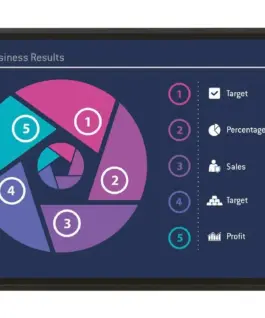
Интерактивни монитори
Sharp Interactive Display 42.5 inch PN-HW-Series, UHD, 350cd/m2, Infraчервен Touch, 10 touch points
3,036.07 лв. с ДДС / €1,552.32
Време на доставка: 30 дни
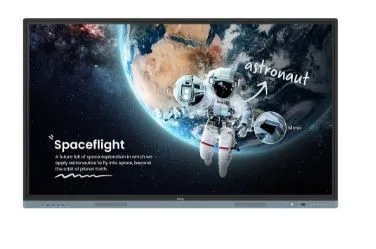
Интерактивни монитори
Benq Monitor interactive 75 inches RM7504 4K IPS 1200:1/3840×2160/HDMI
6,196.07 лв. с ДДС / €3,168.00
Време на доставка: 30 дни

Интерактивни монитори
3,241.07 лв. с ДДС / €1,657.13
Време на доставка: 7 дни

Интерактивни монитори
7,745.09 лв. с ДДС / €3,960.00
Време на доставка: 30 дни