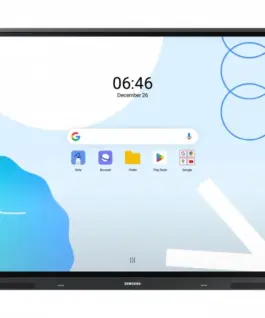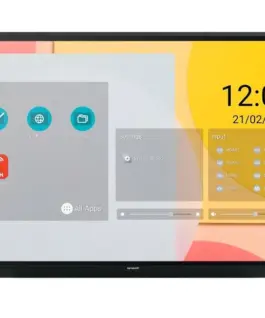
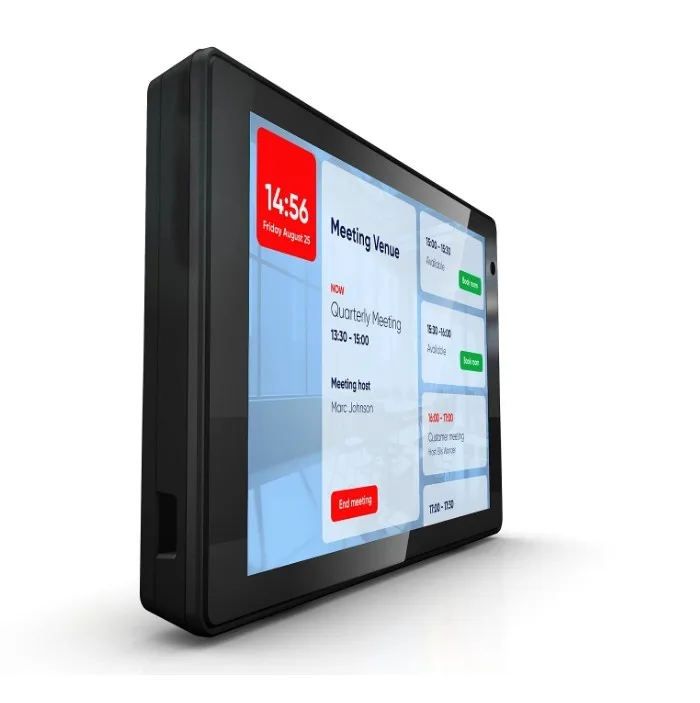
Philips Monitor10BDL3351T 10.1 inches Touch Display
Philips Monitor10BDL3351T 10.1 inches Touch Display
Description:
Signage Solutions Multi-Touch Monitor 10BDL3351T/00
Just the Lightest Touch
This ultra-clear, multi-touch smart display is ideal when space is at a premium: from booking a room and finding your way to displaying advertisements. Power over Ethernet technology allows you to place the display anywhere, while the Android SoC enables versatile solutions.
Ensure simpler installation with Power-over-Ethernet technology
Use Power-over-Ethernet technology for simpler installation. This technology uses a single Ethernet line for both power and connectivity. This allows for simpler installation, as a power supply is not required. The displays can be mounted in smaller, hard-to-reach spaces, providing greater flexibility and adaptability. For users who don’t want to use Power-over-Ethernet technology, a power supply is included.
Philips Wave-enabled for remote display management and control
Your Philips Wave-enabled display allows you to remotely manage and maintain this device from anywhere, anytime. This evolving cloud platform gives you complete control, with simplified installation and configuration, display monitoring and control, firmware updates, central content management, and power scheduling. You save time, energy, and environmental impact.
Plug & Play Multi-Touch Display with 10-Point Touch
Philips professional Android displays are flexible and secure, optimized for native Android apps and the easy installation of web apps and software directly on the display. Everything can be controlled via an internet connection.
Android: Launch your own app or choose your favorite app to run
With the monitor’s Android operating system, you can work with the world’s most advanced operating system and save your own app directly on the monitor. You can also choose an app from the extensive Android app library and play content directly from it. Using the built-in task scheduler, you can schedule application usage and content playback based on clients and the time of day. With automatic orientation, displaying content in portrait or landscape orientation is as easy as turning on the monitor.
Saving and Playing Content Using Internal Memory
The internal memory allows you to save and play content. You can load your media content onto the monitor and start playing it immediately. Working in conjunction with the internal browser, the internal memory also acts as a cache for streaming online content. In the event of a network outage, the internal memory maintains the display by playing a cached version of the content, ensuring media playback even when the network connection is lost.
Built-in WiFi and Bluetooth
Use wireless communication with built-in WiFi and Bluetooth and enjoy easier content control with wireless downloads.
343.20 € с ДДС / 671.24 лв.
Времето за доставка не е определено
Налично за предварителни продажби
Philips Monitor10BDL3351T 10.1 inches Touch Display
Описание:
Signage Solutions Multi-Touch Monitor 10BDL3351T/00
Just the Lightest Touch
This ultra-clear, multi-touch smart display is ideal when space is at a premium: from booking a room and finding your way to displaying advertisements. Power over Ethernet technology allows you to place the display anywhere, while the Android SoC enables versatile solutions.
Ensure simpler installation with Power-over-Ethernet technology
Use Power-over-Ethernet technology for simpler installation. This technology uses a single Ethernet line for both power and connectivity. This allows for simpler installation, as a захранващ блок is not required. The displays can be mounted in smaller, hard-to-reach spaces, providing greater flexibility and adaptability. For users who don’t want to use Power-over-Ethernet technology, a захранващ блок is included.
Philips Wave-enabled for remote display management and control
Your Philips Wave-enabled display allows you to remotely manage and maintain this device from anywhere, anytime. This evolving cloud platform gives you complete control, with simplified installation and configuration, display monitoring and control, firmware updates, central content management, and power scheduling. You save time, energy, and environmental impact.
Plug & Play Multi-Touch Display with 10-Point Touch
Philips professional Android displays are flexible and secure, optimized for native Android apps and the easy installation of web apps and software directly on the display. Everything can be controlled via an internet connection.
Android: Launch your own app or choose your favorite app to run
With the monitor’s Android operating system, you can work with the world’s most advanced operating system and save your own app directly on the monitor. You can also choose an app from the extensive Android app library and play content directly from it. Using the built-in task scheduler, you can schedule application usage and content playback based on clients and the time of day. With automatic orientation, displaying content in portrait or landscape orientation is as easy as turning on the monitor.
Saving and Playing Content Using Internal памет
The internal памет allows you to save and play content. You can load your media content onto the monitor and start playing it immediately. Working in conjunction with the internal browser, the internal памет also acts as a cache for streaming online content. In the event of a network outage, the internal памет maintains the display by playing a cached version of the content, ensuring media playback even when the network connection is lost.
Built-in WiFi and Bluetooth
Use wireless communication with built-in WiFi and Bluetooth and enjoy easier content control with wireless downloads.
Свързани продукти