-
×
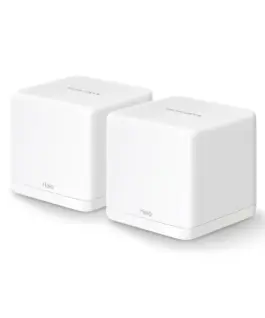 Безжична Wi-Fi Mesh система Mercusys Halo H30G(2-pack) AC1300
55.25 € (вкл. ДДС) / 108.06 лв.
Безжична Wi-Fi Mesh система Mercusys Halo H30G(2-pack) AC1300
55.25 € (вкл. ДДС) / 108.06 лв. -
×
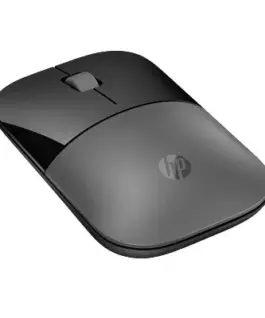 HyperX Mouse Classic Z3700 Dual silver wireless - 758A9AA#ABB
22.31 € (вкл. ДДС) / 43.63 лв.
HyperX Mouse Classic Z3700 Dual silver wireless - 758A9AA#ABB
22.31 € (вкл. ДДС) / 43.63 лв. -
×
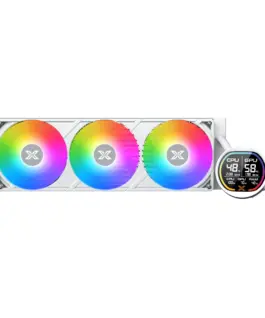 Xigmatek водно охлаждане Water Cooling LK Pro 360 Digital Arctic - 2.7 inch Digital LCD Display
74.30 € (вкл. ДДС) / 145.33 лв.
Xigmatek водно охлаждане Water Cooling LK Pro 360 Digital Arctic - 2.7 inch Digital LCD Display
74.30 € (вкл. ДДС) / 145.33 лв. -
×
 Телефон Hammer ENERGY X, Оранжев
178.94 € (вкл. ДДС) / 349.98 лв.
Телефон Hammer ENERGY X, Оранжев
178.94 € (вкл. ДДС) / 349.98 лв. -
×
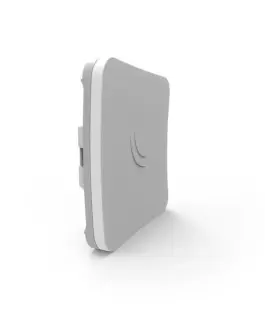 Рутер MikroTik SXTsq Lite5 RBSXTsq5HPnD, 5GHz, 10/100, POE, Бял
45.65 € (вкл. ДДС) / 89.28 лв.
Рутер MikroTik SXTsq Lite5 RBSXTsq5HPnD, 5GHz, 10/100, POE, Бял
45.65 € (вкл. ДДС) / 89.28 лв. -
×
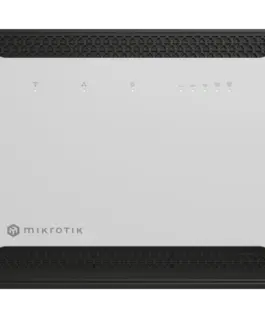 Рутер MikroTik Chateau LTE7 D53G-5HacD2HnD-TC&R11e-LTE7
120.47 € (вкл. ДДС) / 235.61 лв.
Рутер MikroTik Chateau LTE7 D53G-5HacD2HnD-TC&R11e-LTE7
120.47 € (вкл. ДДС) / 235.61 лв. -
×
 Hewlett Packard Enterprise Multi-mode OM3 LC/LC FC 0,5m кабел AJ833A
53.34 € (вкл. ДДС) / 104.32 лв.
Hewlett Packard Enterprise Multi-mode OM3 LC/LC FC 0,5m кабел AJ833A
53.34 € (вкл. ДДС) / 104.32 лв. -
×
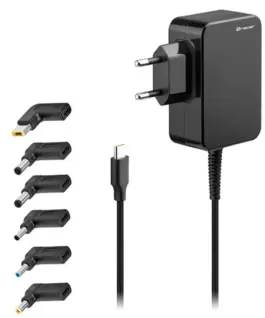 Tracer захранващ блок Лаптоп Prime 65W Uniwersalny 7w1
35.38 € (вкл. ДДС) / 69.19 лв.
Tracer захранващ блок Лаптоп Prime 65W Uniwersalny 7w1
35.38 € (вкл. ДДС) / 69.19 лв. -
×
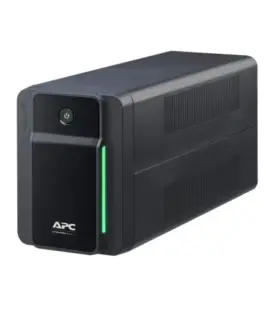 APC BVX700 BackUPS BVX 700VA 360W/AVR/4xIEC
99.88 € (вкл. ДДС) / 195.34 лв.
APC BVX700 BackUPS BVX 700VA 360W/AVR/4xIEC
99.88 € (вкл. ДДС) / 195.34 лв. -
×
 Gembird Pure sine wave car DC-AC power inverter 12V/230V 500W/1000W
99.77 € (вкл. ДДС) / 195.13 лв.
Gembird Pure sine wave car DC-AC power inverter 12V/230V 500W/1000W
99.77 € (вкл. ДДС) / 195.13 лв. -
×
 Kensington Privacy Screen 23.8 inch. 16:9
96.36 € (вкл. ДДС) / 188.46 лв.
Kensington Privacy Screen 23.8 inch. 16:9
96.36 € (вкл. ДДС) / 188.46 лв. -
×
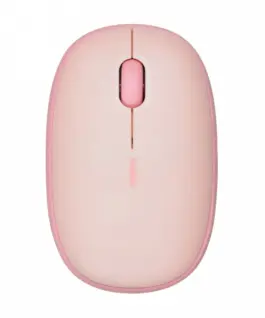 RAPOO Wireless мишка M660 Multimode розов
17.74 € (вкл. ДДС) / 34.69 лв.
RAPOO Wireless мишка M660 Multimode розов
17.74 € (вкл. ДДС) / 34.69 лв. -
×
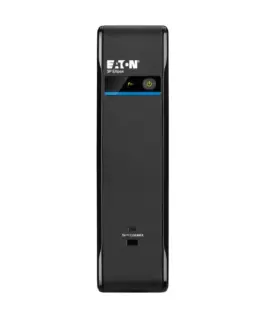 Eaton UPS 3P Ellipse 1700 USB IEC 3P1700UI
427.16 € (вкл. ДДС) / 835.46 лв.
Eaton UPS 3P Ellipse 1700 USB IEC 3P1700UI
427.16 € (вкл. ДДС) / 835.46 лв. -
×
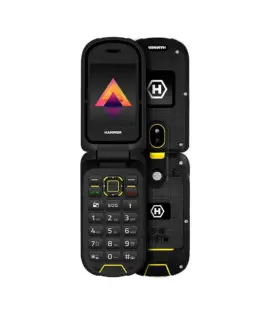 Телефон HAMMER BOW LTE
97.14 € (вкл. ДДС) / 189.99 лв.
Телефон HAMMER BOW LTE
97.14 € (вкл. ДДС) / 189.99 лв. -
×
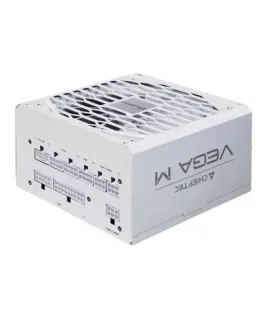 Chieftec Chieftec PPG-850-CW VEGA M 850W 80+ GOLD WH
104.89 € (вкл. ДДС) / 205.15 лв.
Chieftec Chieftec PPG-850-CW VEGA M 850W 80+ GOLD WH
104.89 € (вкл. ДДС) / 205.15 лв. -
×
 Lexmark Printer MC3224adwe 40N9150
278.72 € (вкл. ДДС) / 545.14 лв.
Lexmark Printer MC3224adwe 40N9150
278.72 € (вкл. ДДС) / 545.14 лв. -
×
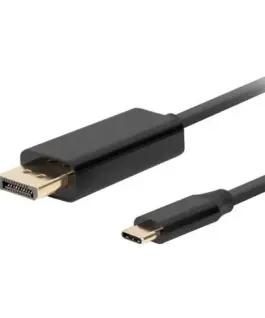 Lanberg кабел USB-C(M)->Displayport(M) 3M 4K 60HZ черен
12.38 € (вкл. ДДС) / 24.22 лв.
Lanberg кабел USB-C(M)->Displayport(M) 3M 4K 60HZ черен
12.38 € (вкл. ДДС) / 24.22 лв. -
×
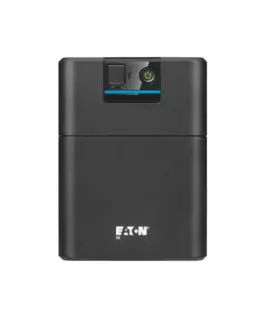 Eaton Eaton 5E 2200 USB IEC G2 5E2200UI
430.55 € (вкл. ДДС) / 842.08 лв.
Eaton Eaton 5E 2200 USB IEC G2 5E2200UI
430.55 € (вкл. ДДС) / 842.08 лв. -
×
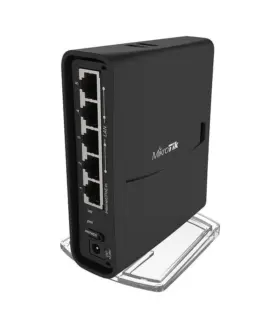 Безжичен Access Point MikroTik hAP acsup2; RBD52G-5HacD2HnD, 128MB RAM, 5 x Gbit LAN, 2.4Ghz 802.11b/g/n, 5GHz 802.11an/ac
78.46 € (вкл. ДДС) / 153.45 лв.
Безжичен Access Point MikroTik hAP acsup2; RBD52G-5HacD2HnD, 128MB RAM, 5 x Gbit LAN, 2.4Ghz 802.11b/g/n, 5GHz 802.11an/ac
78.46 € (вкл. ДДС) / 153.45 лв. -
×
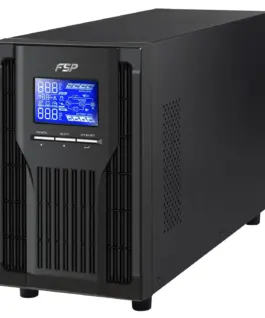 UPS FSP Group Champ Tower, 2000VA, 1800W, OnLine, LCD, 4xIEC
394.57 € (вкл. ДДС) / 771.72 лв.
UPS FSP Group Champ Tower, 2000VA, 1800W, OnLine, LCD, 4xIEC
394.57 € (вкл. ДДС) / 771.72 лв. -
×
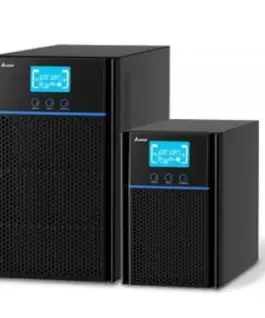 DELTA ELECTRONICS Emergency захранващ блок UPA102N2NX0B035 Amplon N-1K, GEN 3
406.08 € (вкл. ДДС) / 794.22 лв.
DELTA ELECTRONICS Emergency захранващ блок UPA102N2NX0B035 Amplon N-1K, GEN 3
406.08 € (вкл. ДДС) / 794.22 лв.
с поръчка
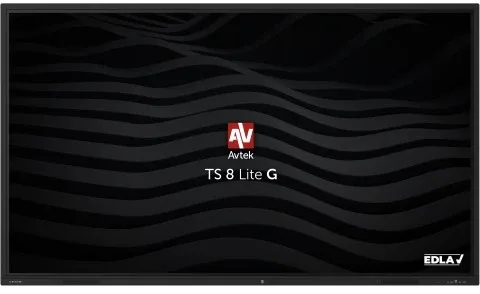
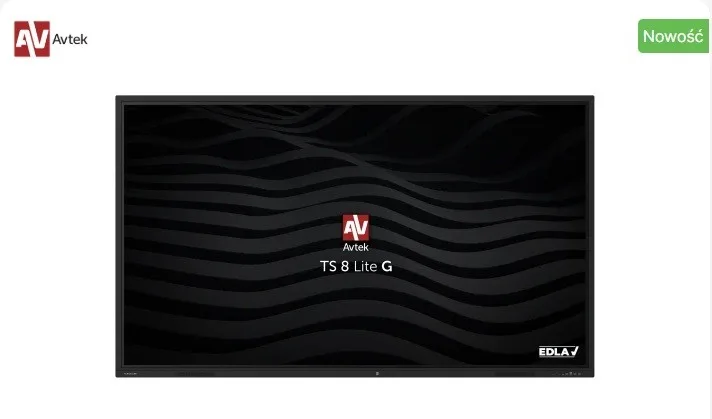




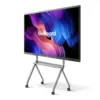
Avtek Interactive монитор TS 8 LITE G 98
Avtek Interactive монитор TS 8 LITE G 98
Description:
Capture attention, inspire with precision, and take your presentations to a completely new, innovative level with the Avtek TS 8 Lite G.
EDLA provides full support for Google services. Users can rely on seamless integration with Google tools, including the Play Store, which significantly simplifies everyday work for both teachers and students.
Android 14.0 offers fast components and a modern operating system version, making the monitor much smoother to use and enabling the installation of increasingly demanding applications.
The ability to write in two colors at the same time allows you to deliver engaging, colorful presentations and capture the attention of students or colleagues using the included dual-sided styluses.
A wide range of available ports makes the monitor even more adaptable to various working conditions and allows connection of multiple devices.
The built-in WiFi/Bluetooth module enables convenient and fast connection to available networks, as well as quick Bluetooth activation for file transfer or wireless connection to devices such as speakers or headphones.
Precise touch control thanks to Zero Bonding technology, using the monitor feels more natural. The minimal gap between the display and the protective glass ensures that digital ink appears directly under the stylus, significantly reducing parallax. This enhances the writing experience, making the most commonly used functionsnote-taking, writing, and drawingmore enjoyable and intuitive.
The built-in wireless screen sharing app allows connection with up to 8 computers or mobile devices simultaneously and displays up to four screens at once. Wireless transmission of image, sound, and touch makes collaboration even more convenient and eliminates the need to connect each device directly to the monitor.
Over-the-Air (OTA) software updates ensure the monitor always receives the latest features and applications over time. Users can easily install updates themselves when they become available, so they never miss future improvements.
TS 8 monitors support 4K/UHD resolution. The image is displayed by an advanced panel with a resolution of 3840 × 2160 and a refresh rate of 60 Hz.
Thanks to a unique solutionshared USB ports on the front of the monitora USB drive connected once is accessible in both the Android system and the built-in OPS computer without needing to switch ports.
The annotation tool allows adding notes to any image or using the monitor like an interactive whiteboard. It also includes a stopwatch, timer, spotlight, and voting system.
The voting tool, accessible from a handy shortcut bar available on every source, allows you to ask questions, collect responses, and quickly summarize resultsregardless of whether you are displaying a presentation, using an Android browser, or showing content from an external source like a laptop.
Monitor locking features are designed for educational environments and crowded spaces. USB Disk Lock allows the monitor to be locked and unlocked only by connecting a USB drive with a specific unlock file. A locking app can also secure the monitor with a code, similar to a smartphone. Both solutions protect the device and its data from unauthorized use.
Avtek TouchScreen monitors come with Note interactive software for Windows, enabling both lesson preparation and business presentation management. Note supports the same file format as the Android whiteboard app, allowing you to start editing a file on the monitor and finish it later in Windows.
In addition to Note, the monitor includes two more programs: Connect and Capture. Connect enables communication between a mobile device and a PC, including bidirectional screen sharing and presentation control, making remote monitor control simple and intuitive.
Capture is a useful tool for recording and editing presentations or lectures. It allows recording of the Windows desktop and video from a connected camera (or both simultaneously). Capture also offers quick editing and lets you save the result as a single video file, upload it to the cloud, or publish it on platforms such as YouTube.
Interactive monitors are ideal for a variety of use cases, which is why OPS computers are available in several variants. For education and basic applications, the energy-efficient i3 is ideal. More advanced applications are supported by i5 versions, while the highly powerful Intel i7 is designed for the most demanding professional uses.
Avtek interactive monitors are designed for 24/7 operation. They ensure continuous performance around the clock, offering exceptional durability and reliability.
NOTE: AVTEK TS 8 LITE G MONITORS ARE NOT DESIGNED FOR HORIZONTAL USE (INTERACTIVE TABLE MODE).
5,662.02 € с ДДС / 11,073.95 лв.
Време на доставка: 30 дни
Времето за доставка не е определено
Времето за доставка не е определено
Налично за предварителни продажби
Avtek Interactive монитор TS 8 LITE G 98
Описание:
Capture attention, inspire with precision, and take your presentations to a completely new, innovative level with the Avtek TS 8 Lite G.
EDLA provides full support for Google services. Users can rely on seamless integration with Google tools, including the Play Store, which significantly simplifies everyday work for both teachers and students.
Android 14.0 offers fast components and a modern operating system version, making the monitor much smoother to use and enabling the installation of increasingly demanding applications.
The ability to write in two Цвятs at the same time allows you to deliver engaging, Цвятful presentations and capture the attention of students or colleagues using the included dual-sided styluses.
A wide range of available ports makes the monitor even more adaptable to various working conditions and allows connection of multiple devices.
The built-in WiFi/Bluetooth module enables convenient and fast connection to available networks, as well as quick Bluetooth activation for file transfer or wireless connection to devices such as speakers or headphones.
Precise touch control thanks to Zero Bonding technology, using the monitor feels more natural. The minimal gap between the display and the protective glass ensures that digital ink appears directly under the stylus, significantly reducing parallax. This enhances the writing experience, making the most commonly used functionsnote-taking, writing, and drawingmore enjoyable and intuitive.
The built-in wireless screen sharing app allows connection with up to 8 Компютърs or mobile devices simultaneously and displays up to four screens at once. Wireless transmission of image, sound, and touch makes collaboration even more convenient and eliminates the need to connect each device directly to the monitor.
Over-the-Air (OTA) software updates ensure the monitor always receives the latest features and applications over time. Users can easily install updates themselves when they become available, so they never miss future improvements.
TS 8 monitors support 4K/UHD resolution. The image is displayed by an advanced panel with a resolution of 3840 × 2160 and a refresh rate of 60 Hz.
Thanks to a unique solutionshared USB ports on the front of the monitora USB drive connected once is accessible in both the Android system and the built-in OPS Компютър without needing to switch ports.
The annotation tool allows adding notes to any image or using the monitor like an interactive whiteboard. It also includes a stopwatch, timer, spotlight, and voting system.
The voting tool, accessible from a handy shortcut bar available on every source, allows you to ask questions, collect responses, and quickly summarize resultsregardless of whether you are displaying a presentation, using an Android browser, or showing content from an external source like a Лаптоп.
Monitor locking features are designed for educational environments and crowded spaces. USB Disk Lock allows the monitor to be locked and unlocked only by connecting a USB drive with a specific unlock file. A locking app can also secure the monitor with a code, similar to a smartphone. Both solutions protect the device and its data from unauthorized use.
Avtek TouchScreen monitors come with Note interactive software for Windows, enabling both lesson preparation and business presentation management. Note supports the same file format as the Android whiteboard app, allowing you to start editing a file on the monitor and finish it later in Windows.
In addition to Note, the monitor includes two more programs: Connect and Capture. Connect enables communication between a mobile device and a PC, including bidirectional screen sharing and presentation control, making remote monitor control simple and intuitive.
Capture is a useful tool for recording and editing presentations or lectures. It allows recording of the Windows desktop and video from a connected camera (or both simultaneously). Capture also offers quick editing and lets you save the result as a single video file, upload it to the cloud, or publish it on platforms such as YouTube.
Interactive monitors are ideal for a variety of use cases, which is why OPS Компютърs are available in several variants. For education and basic applications, the energy-efficient i3 is ideal. More advanced applications are supported by i5 versions, while the highly powerful Intel i7 is designed for the most demanding professional uses.
Avtek interactive monitors are designed for 24/7 operation. They ensure continuous performance around the clock, offering exceptional durability and reliability.
NOTE: AVTEK TS 8 LITE G MONITORS ARE NOT DESIGNED FOR HORIZONTAL USE (INTERACTIVE TABLE MODE).
Свързани продукти


949.37 € с ДДС / 1,856.80 лв.
Време на доставка: 10 дни

3,960.00 € с ДДС / 7,745.09 лв.
Време на доставка: 30 дни
1,508.40 € с ДДС / 2,950.17 лв.
Време на доставка: 30 дни